Your Stream Is Choking — And Your ISP Probably Didn't Do It
There's a ritual most of us know by heart. The video stutters. The little spinning circle shows up. You glance at your phone, pull up a speed test, watch the numbers come back totally fine, and then spend the next ten minutes composing an angry tweet at your internet provider. Totally understandable. Also, probably misdirected.
Here's the uncomfortable truth: your ISP is often the last place the problem actually lives. When premium HD content — the kind that demands clean, consistent delivery to look and sound the way it was intended — starts breaking down, the breakdown is usually happening somewhere between your router and your eyeballs, not somewhere between a server farm and your neighborhood.
Let's break down what's actually going on.
The Speed Test Lie
Speed tests are useful, but they're also kind of a scam in this context. When you run one, you're measuring a direct, unobstructed connection to a nearby server optimized specifically for that test. Your actual streaming experience involves a completely different path — multiple hops across different networks, content delivery nodes, and your own home setup. A speed test might show 300 Mbps while your video buffers at 1080p. Both things can be true at the same time.
What matters for smooth HD streaming isn't just raw speed. It's latency (how fast data responds to requests), jitter (how consistent that latency is), and packet loss (whether data is actually arriving intact). A connection with high jitter or even 1-2% packet loss can turn a perfectly watchable stream into a slideshow, even if the megabit numbers look great.
Your Router Is Older Than You Think
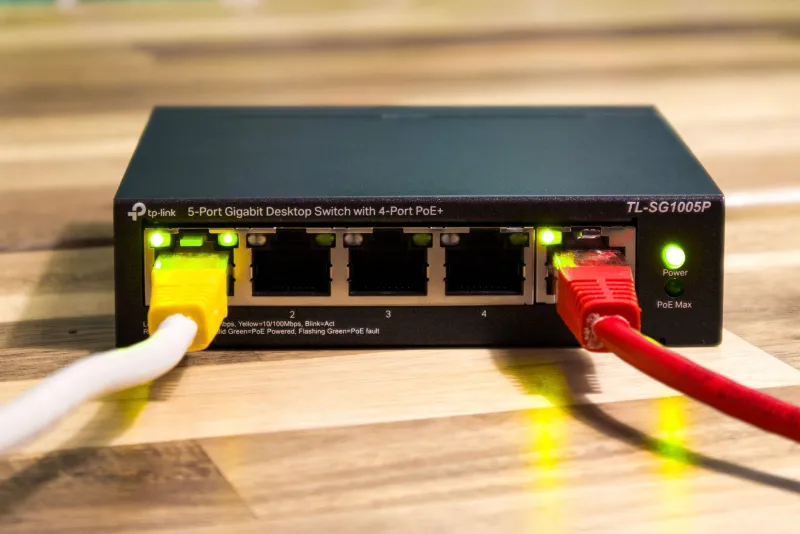
If you're still running the router your ISP handed you four years ago, that device might be the single biggest bottleneck in your entire setup. Consumer routers — especially the ones bundled with service plans — are built to handle a certain volume of simultaneous connections and data throughput. As you add more devices to your home network (smart TVs, phones, laptops, gaming consoles, smart speakers), that router is quietly struggling to keep up.
The fix isn't always buying the most expensive new hardware. Sometimes it's just rebooting the router regularly, positioning it differently, or switching your streaming device to a less congested frequency band. Speaking of which...
The 2.4 GHz Problem Nobody Talks About
Most modern routers broadcast on two frequencies: 2.4 GHz and 5 GHz. The 2.4 GHz band has better range, which is why devices tend to connect to it automatically. It's also absolutely packed. Your neighbors' routers, your microwave, your Bluetooth headphones, and about a dozen other devices are all competing on the same narrow set of channels.
5 GHz has less range but dramatically more bandwidth and far less interference. If your streaming device is sitting in the same room as your router and still connected to 2.4 GHz, you're leaving a huge amount of performance on the table. Most devices let you manually select which band to connect to — it takes about 90 seconds and can make a noticeable difference in stream stability.
For the best possible setup, a wired ethernet connection still beats WiFi entirely. It's not glamorous advice, but it's genuinely effective.
Peak Hours Are Real, and They're Not Your ISP's Fault (Entirely)
Internet infrastructure is shared. When everyone in your neighborhood gets home from work, fires up their streaming services, and starts downloading games simultaneously, the local network gets congested. This is sometimes called the "rush hour" effect, and it's a real phenomenon that affects streaming quality even when your personal connection is technically fine.
This doesn't mean your ISP is off the hook — they're responsible for building enough capacity to handle peak demand. But it does mean that if your streams consistently degrade between 7 and 10 PM on weekdays and run perfectly at 2 AM, you're dealing with a shared infrastructure issue, not something specific to your account or your hardware.
The practical workaround: if you have flexibility in when you consume content, off-peak hours genuinely deliver a better experience. If you don't, look into platforms that offer adaptive bitrate streaming — they're designed to automatically adjust quality based on available bandwidth rather than just dropping out entirely.
Your Device Might Be the Weak Link
HD content — especially anything above 1080p — requires real processing power to decode and display properly. Older smart TVs, budget streaming sticks, and aging laptops often struggle with higher-resolution video even when the network connection is perfectly capable of delivering it. The video arrives fine; the device just can't handle the decoding fast enough.
If you're watching on a device that's more than three or four years old and noticing issues specifically with HD or 4K content, hardware might be the culprit. Clearing the app cache, closing background applications, and making sure your streaming app is updated can help. But sometimes the honest answer is that a device has hit its ceiling.
How to Actually Diagnose the Problem
Before you call your ISP or start upgrading hardware, run through this checklist:
- Test your connection with a tool like Cloudflare's 1.1.1.1 speed test — it measures latency and jitter, not just raw speed
- Check if the issue is platform-specific — if one streaming service buffers but others don't, the problem is likely on that platform's end
- Reboot your router and modem — not just put them into standby, actually power cycle them
- Switch your device to 5 GHz WiFi or try a wired connection
- Test at different times of day — consistent issues at peak hours point to network congestion
- Check for background downloads — game updates, cloud backups, and software downloads can silently consume bandwidth
If you work through all of that and the problem persists across multiple devices, multiple platforms, and multiple times of day, then yes — call your ISP. You might have a legitimate service issue, a faulty modem, or a line problem that needs a technician.
The Bottom Line
Premium content deserves a premium viewing experience. When that experience breaks down, the instinct to blame the internet provider is understandable but often wrong. The reality is that your home network is a surprisingly complex system with a lot of potential failure points, and most of them are within your control.
A little diagnostic work goes a long way. Figure out where the problem actually lives before assuming the worst about your service plan — and before upgrading to gigabit speeds that your router can't even distribute properly anyway. Fix the right thing, and your HD streams will thank you.