Same Video, Different World: How Codecs Are Quietly Ruining Your Picture Quality
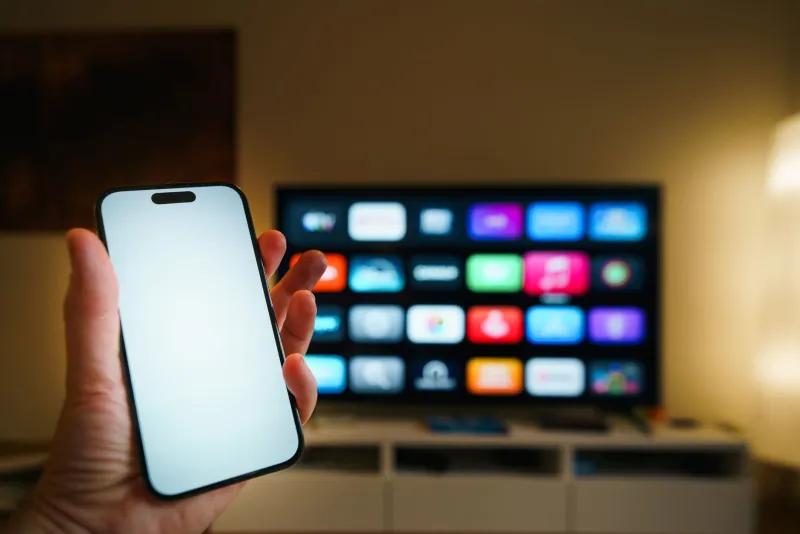
You've been there. You fire up a premium scene on your laptop and the picture is crisp, detailed, genuinely impressive. Then you cast it to your living room TV or pull it up on your phone and suddenly it looks like something from 2009 — blocky, soft, weirdly washed out. Nothing changed on the platform's end. The content is the same file, the same resolution, the same everything.
Except it's not, really. What actually changed is the codec — the compression standard your device is using to decode and display that video. And if you've never thought about codecs before, you're not alone. Most people haven't. But once you understand what's going on under the hood, you'll never look at a streaming quality menu the same way again.
What Even Is a Codec?
Codec is short for coder-decoder. It's the system that compresses video for storage and transmission, then decompresses it for playback. Without compression, a single hour of raw 1080p footage would eat up hundreds of gigabytes. Codecs make streaming possible by stripping out visual data the human eye theoretically won't notice — though how aggressively they do that, and how intelligently, varies wildly depending on which codec is doing the work.
The major players you'll encounter across adult streaming platforms right now are H.264, H.265 (also called HEVC), VP9, and the increasingly common AV1. Each one has different strengths, different hardware requirements, and different relationships with your devices. That last part is where the trouble starts.
H.264: The Old Reliable That's Holding Everyone Back
H.264 has been the backbone of internet video for over fifteen years. It's universally supported — your smart TV, your phone, your ancient laptop, your game console, all of them can handle H.264 without breaking a sweat. Platforms default to it because it just works everywhere.
The catch is efficiency. H.264 needs significantly more data to deliver the same visual quality as newer codecs. That means higher bitrates for equivalent picture quality, which is a real problem when a platform is trying to serve thousands of simultaneous streams. To keep bandwidth costs manageable, platforms often compress H.264 streams more aggressively than they'd like, and that compression shows up as softness, blocking in fast-motion scenes, and that characteristic "streaming look" that feels a step below what the content actually is.
H.265: Better Quality, Messier Reality
H.265 delivers roughly twice the compression efficiency of H.264 at the same quality level. In theory, that means sharper images, better motion handling, and more detail in shadows and highlights — all at lower file sizes. Premium content creators love it for exactly these reasons.
The problem is hardware support. H.265 decoding requires dedicated hardware acceleration to run smoothly, and not every device has it. Older smart TVs, budget Android devices, and some mid-range laptops will attempt to decode H.265 in software, which hammers the processor, causes dropped frames, and often forces the platform's app to fall back to a lower quality tier automatically. You might never even know it happened. You just notice the picture looks worse than you expected.
If you're streaming on a device from the last three or four years — a recent iPhone, a current-gen Roku or Fire Stick, a modern Samsung or LG smart TV — you're probably fine. Older hardware is where H.265 gets unreliable.
VP9 and AV1: The Open-Source Contenders
VP9 is Google's answer to H.265, and it's been the codec powering YouTube's HD streams for years. It's royalty-free, which makes it attractive to platforms watching their licensing costs. Quality-wise, it's roughly comparable to H.265 — solid efficiency, good detail retention, decent motion handling. Chrome-based browsers handle it particularly well, which is one reason the same content can look noticeably better in Chrome than in Safari on the same machine.
AV1 is the newest generation and genuinely impressive. Developed by an industry coalition specifically to be both royalty-free and more efficient than anything that came before it, AV1 can deliver better quality at lower bitrates than H.265 or VP9. The catch, as always, is support. AV1 hardware decoding is only starting to appear in devices from the last couple of years. Stream AV1 on older hardware and your device will either struggle through software decoding or silently switch to a less demanding codec.
Why the Same Platform Serves Different Codecs to Different Devices
Premium platforms don't just have one version of each video sitting on a server. They maintain multiple encoded versions — different resolutions, different bitrates, different codecs — and their delivery system figures out in real time what your device can handle and serves accordingly.
This process, called adaptive bitrate streaming, is mostly invisible and mostly helpful. But it does mean your viewing experience is being quietly shaped by decisions your device and the platform are making without asking you. A smart TV that can't hardware-decode H.265 might get served a high-bitrate H.264 stream that looks passable. A phone on a weak connection might drop to a lower resolution entirely. The platform is always trying to keep playback smooth, sometimes at the expense of quality.
What You Can Actually Do About It
The good news is that you have more control than you probably realize.
Check your device's capabilities. Look up your smart TV model or streaming stick and find out which codecs it supports with hardware acceleration. This one piece of information explains a lot about why your picture looks the way it does.
Use a browser that matches the platform. Chrome handles VP9 well. If a platform leans on VP9 for its best-quality tier, watching in Chrome on a laptop can genuinely outperform a smart TV with limited codec support. Safari on Mac supports H.265 hardware decoding, which can be a real advantage on Apple hardware.
Don't ignore the quality settings menu. Many platforms let you manually select quality tiers. If adaptive streaming is dropping you to 720p when your connection can handle 1080p, locking in the higher setting manually sometimes solves it.
Upgrade your streaming hardware strategically. If you're using a Roku or Fire Stick that's more than three years old, a current-generation replacement is a relatively cheap investment that often delivers a visible improvement. Current devices support AV1 and H.265 hardware decoding, which opens up better quality tiers from platforms that offer them.
Restart your router before long sessions. It sounds basic because it is basic, but a fresh connection negotiation can sometimes get you onto a better quality tier than a stale connection that's been running for hours.
The Bottom Line
Codecs are invisible, technical, and not particularly glamorous — but they're the single biggest variable determining whether premium content actually looks premium on your screen. The platform did its job encoding the video. The question is whether your device can decode it the way it was meant to be seen. Now that you know what to look for, you're in a much better position to make sure it does.